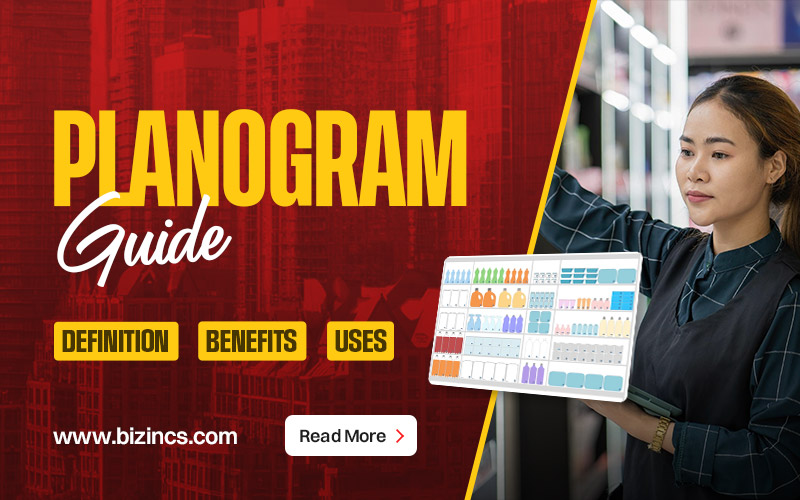
Planogram Guide: Definition, Benefits, Uses
When the merchandise sits right on the shelves, retail organisations can make maximum profits. For that, good planning and visualisation are required. Brick and mortar stores, thus, need to come up with visual diagrams and schematics that will dictate their product placement. This is the meaning of planogram– a visual tool that helps you plan where to put your products in the physical space.
Entering a well-organised store automatically attracts customers. So, let’s look into this Bizincs’ guide on planogram, understanding every nuance like its benefits and application.
What is a Planogram?
A planogram is a visual diagram or layout. Shortened to POG, it shows how and where specific products should be placed on shelves or displays. A planogram aims to expand sales and smooth the shopping experience. It is kind of a map for the retail store shelves. It guides the staff on product placement, spacing, and display order.
| Other Names for a Planogram | SchematicsPOGSpace PlanShelf Space Plan |
Planogram as a Marketing Tool
A retail store’s bigger visual marketing strategy contains a planogram as an important visual marketing tool. Large retailers like Walmart, Canadian Tire, and Dollarama in Canada depend heavily on planograms. They do so to ensure consistency across stores.
The visibility of products gets optimised, and the inventory flow becomes easy. From small to large organisations, everyone can use planograms to create organised and visually appealing store layouts.
Why Use Planograms? Benefits in Detail
You can use a shelf space plan for the following advantages:
- Store Space Optimisation
A planogram helps optimise the store space for effective usage. You can designate each area with a specific purpose or function. For example, grocery stores divide every aisle into dairy, snacks, vegetables, fruits, and other sections. It further leads to:
- Effective category management
- Proper inventory at all times
- Intelligent retail design
- Manage ownership and accountability with third parties
You can update this process using your sales data, positioning the right products in prime spaces.
- Visually Appealing & Consistent Across Locations
You can put the products in a visually appealing manner, where you know they can sell the best. An attractive store layout impresses and invites customers. You can group comparable products and put related packaged items together. With an enticing and organised setup, customers will find it easy to locate what they want. It also allows them to browse without hesitation and add more things to their cart than what they came for.
- Higher Sales
Planograms help group products in a way that matches the client’s preferences. For efficient tactics, you can check the past sales data. It will help see the ideal sales area in your space. The better the organisation of the products, the more items you will be able to sell.
- Better Employee Engagement & Performance
Staff performance enhances with planograms. An employee’s knowledge and experience improve when they know what product goes where. They can direct the customers into aisles/ sections easily and help them pick out stuff. It also increases their confidence and motivation to succeed.
- Improved Vendor Relationships
Suppliers often provide planograms to retailers to ensure their products are displayed to brand standards. When you follow these guidelines, you help maintain strong vendor relationships that can sometimes lead to promotional support or rebates.
How to Create and Use a Planogram?
Small shops can use the core ideas of a planogram to organise their space, similar to a high-end retailer investing in a highly detailed, data-heavy planogram. Here is how to create and use it:
- Creating a Planogram
You can create a planogram using any of the following options:
- Hire A Planogrammer
You can hire a planogrammer/ planogram specialist, someone who exclusively designs and manages a planogram based on sales performance, customer behaviour, and merchandising goals.
You can also consider a visual merchandiser if you can’t hire a full-time specialist. Both roles aim to support the same outcome: more sales through smarter product placement.
- Consult Third-Party Experts
There are external firms that can help you plan your layout in the most efficient manner. Such firms specialise in retail behavioural research. Their insights lead to a very effective planogram.
- Use Planogram Software
Several planogram software– beginner-friendly and advanced- are available to create a planogram.
- DotActiv – Free version suitable for small retailers (up to 40 products).
- SmartDraw – Great for visual planning and scaling store layouts.
- Shelf Logic – Robust features for mid-sized and larger operations.
You can drag, drop, resize, and organise products digitally with these tools. It helps you map out your shelves before making physical changes.
- DIY Planogram
If you prefer a hands-on approach or work with a smaller product range, you can sketch your own planogram. Some retailers still use paper and pencil to draw shelving to scale. Others use simple tools, like Google Docs or Photoshop templates.
- Using A Planogram
Planograms are especially valuable for grocery stores, hardware shops, and large-format retailers. It helps businesses that stock thousands of SKUs, manage multiple suppliers, and need to track inventory turnover carefully. Even if you don’t build a complex planogram, applying its guiding principles can transform the way you use your space.
For example, before ordering perishables or seasonal stock, grocers need to know whether the products will actually fit into coolers or shelving. That’s where understanding shelf dimensions, packaging sizes, and expected turnover becomes essential.
For smaller retailers like showrooms, gift shops, or speciality boutiques, planograms may be simpler. However, the logic remains the same. You have to put the right products in the right places to guide customer behaviour and maximise sales.
- Reading A Planogram
Train your team in understanding the planogram for effective application as follows:
| Dimensions & Displays | Products & Packaging Details | Planogram Methodology |
| Include accurate measurements for the following so the staff knows instantly what goes where:AislesShelvesPegboardsGondolasSlat wallsCoolers or freezersPOP (point-of-purchase) displaysBins | Clarify exactly which SKUs belong on each shelf. Clear instructions prevent inconsistent stocking and maintain merchandising standards:Product brandPackaging sizeNumber of facingsShelf orderOrientation (e.g., which side faces outward) | Sharing the reasoning behind your layout helps employees understand:Why certain products get eye-level placementWhy are some items grouped togetherHow customer behaviour informed your design |
Steps to Use Planograms Effectively
The best practices for the effective use of planograms are as follows:
- Start Simple
If planograms are new to your business, begin with a clean, basic version. Your goal should be to create a system you can maintain and evolve. It should not overwhelm staff from day one.
- Think About Product Packaging
Visual appeal matters. You should consider how colours, shapes, and packaging styles work together on the shelf. A cohesive, attractive display will draw customers in and encourage them to explore more of your offerings.
- Know Your Target Market
You need to use customer feedback, sales patterns, and store observations to design layouts that fit your shoppers’ browsing habits. For example, Canadian customers often shop differently depending on season, climate, and regional preferences.
- Educate Your Team
Train your staff on how to read and follow the planogram. When you give them clear, step-by-step instructions and check in regularly, it ensures consistency.
- Assign Area Leaders
You should designate team members to oversee different sections of the store. It gives them ownership and ensures each department stays visually consistent and well-maintained.
- Review Performance Regularly
Lastly, make sure you track your sales after implementing a new planogram. Look for patterns:
- Which shelves convert best?
- Are impulse buys increasing?
- Are customers finding products more easily?
You should use this data to refine your displays and build even more effective planograms over time.
Conclusion
A planogram helps you make strong and smart decisions about space, product flow, and customer experience. If you start small and stay consistent, even your small retail store will expand into a big one. Adjusting based on real-world results will sell out products fast from your shelves because they are arranged with a purpose.